

Code Push for iOS add-to-app
This guide explains how to use Shorebird in an iOS add-to-app scenario (that is, your app embeds Flutter UI in non-Flutter UI). If you are new to this pattern, see the Add Flutter to an existing app Flutter Concepts article first.
Prerequisites
Section titled “Prerequisites”This guide assumes you already have an iOS app and a Flutter module. The example
iOS app will be named IosAddToAppDemo and the example Flutter module will be
named my_flutter_module.
This guide also assumes that you have created a Shorebird account. If you have not created a Shorebird account, please see the Code Push guide for instructions.
The reference code for this guide is available at https://github.com/shorebirdtech/samples/tree/main/add_to_app.
Add Shorebird to your Flutter module
Section titled “Add Shorebird to your Flutter module”First, run shorebird init in your Flutter module:
Create a Shorebird release
Section titled “Create a Shorebird release”First, package the Flutter module for release. This will produce an
.xcframework that can be embedded in your iOS app and provides Shorebird with
the information it needs to apply patches.
To create a release, run the following in the root directory of your Flutter module:
The release-version parameter needs to match the version of the iOS app that
uses this module (i.e., version+build from the Xcode settings, or
CFBundleShortVersionString+CFBundleVersion from your app’s Info.plist).
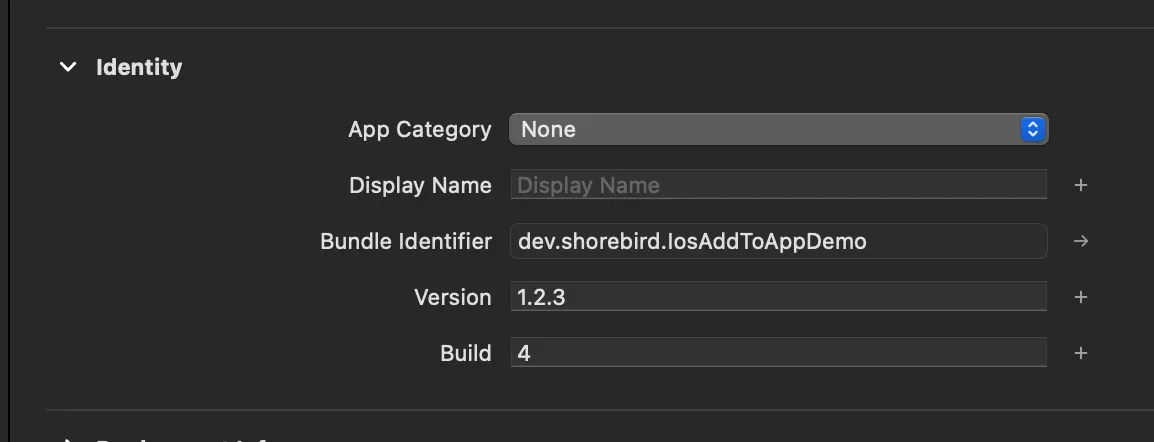
The version number for this app would be 1.2.3+4
The ShorebirdFlutter.xcframework and App.xcframework artifacts produced by
the shorebird release command will be placed in the release directory in the
root of your Flutter module.
Embed the Flutter module in your iOS app
Section titled “Embed the Flutter module in your iOS app”While there are multiple ways to embed a Flutter module in an iOS app, Shorebird requires that your Flutter module be embedded in your iOS app as an .xcframework.
Add the path to your .xcframeworks to Framework Search Paths
Section titled “Add the path to your .xcframeworks to Framework Search Paths”In Xcode:
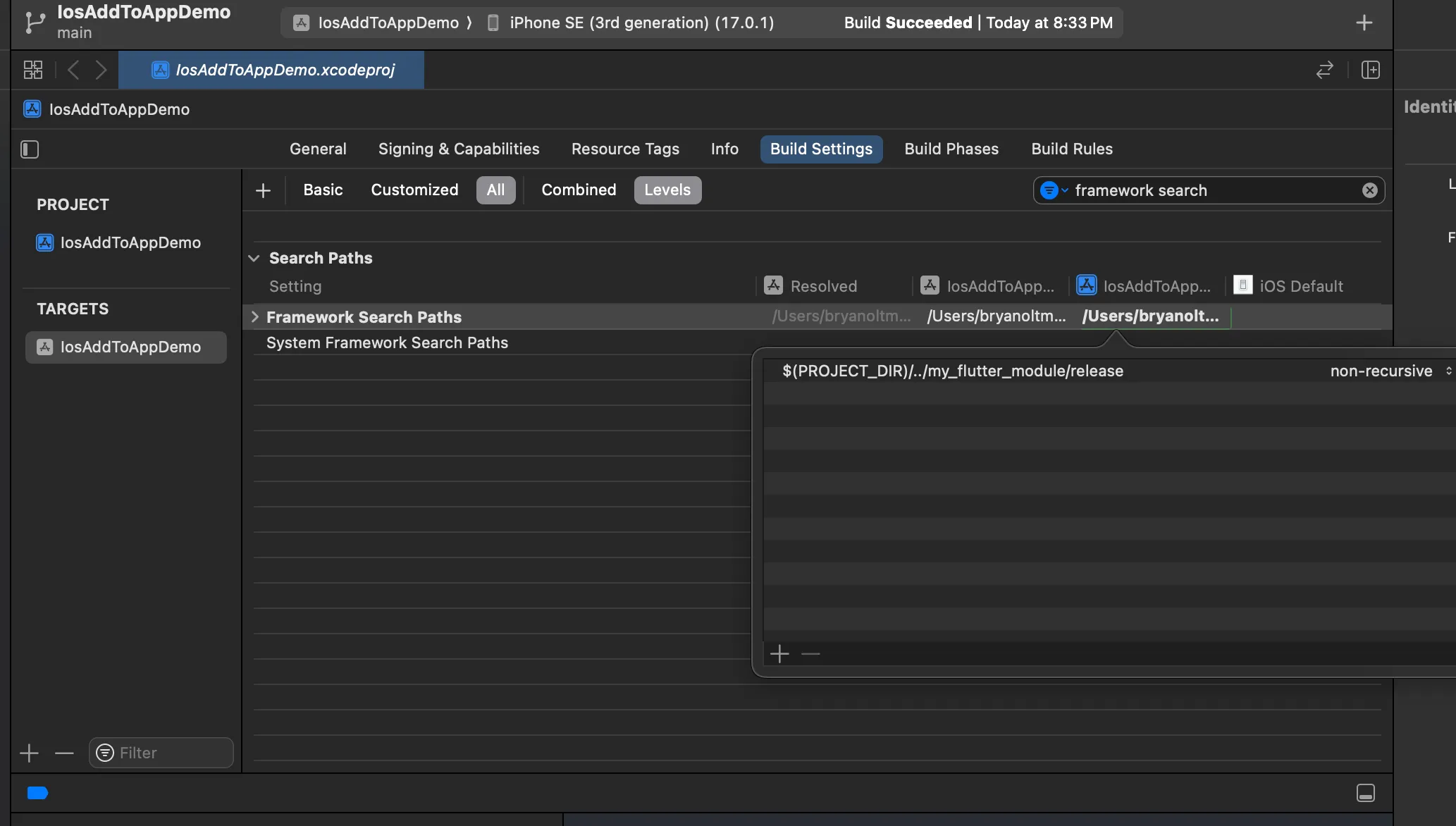
- Navigate to your app target’s “Build Settings” tab.
- Find the “Framework Search Paths” setting (the Filter field on the top right of the build settings tab is helpful for this).
- Add an entry to the “Framework Search Paths” list. This entry should be the
relative path to the directory containing
ShorebirdFlutter.xcframeworkandApp.xcframeworkartifacts. By default, these artifacts are placed in thereleasedirectory in the root of your Flutter module, but you should feel free to move them elsewhere if you prefer.
Embed App.xcframework and ShorebirdFlutter.xcframework in your app
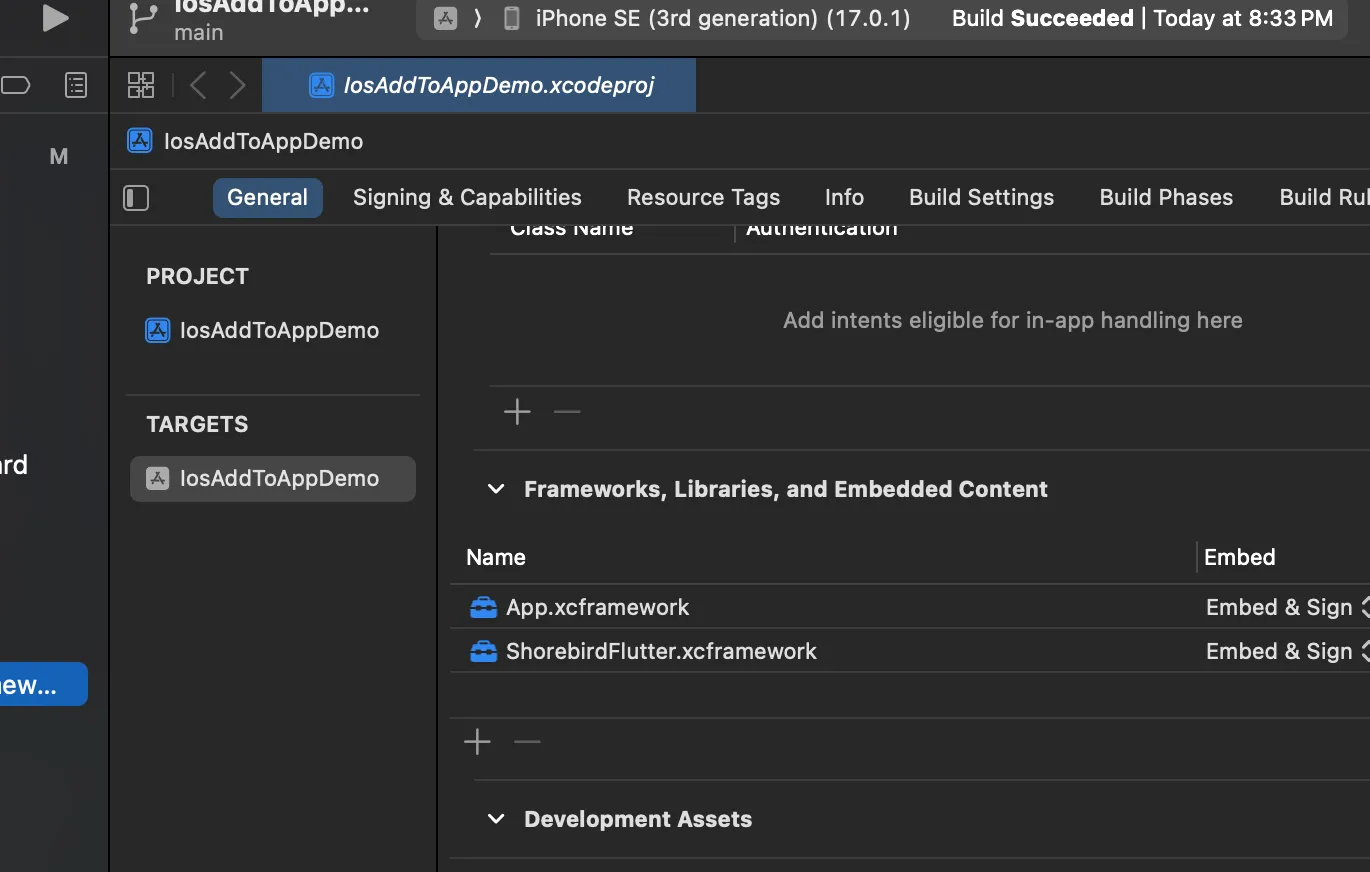
Section titled “Embed App.xcframework and ShorebirdFlutter.xcframework in your app”In the “General” tab of your app target, add App.xcframework and
ShorebirdFlutter.xcframework to the “Frameworks, Libraries, and Embedded
Content” section. Make sure to select “Embed & Sign” for both frameworks.
Verify that your app runs
Section titled “Verify that your app runs”In Xcode, update the current scheme’s build configuration to “Release”
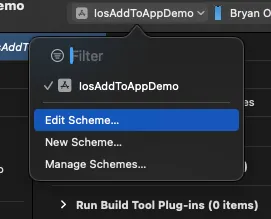
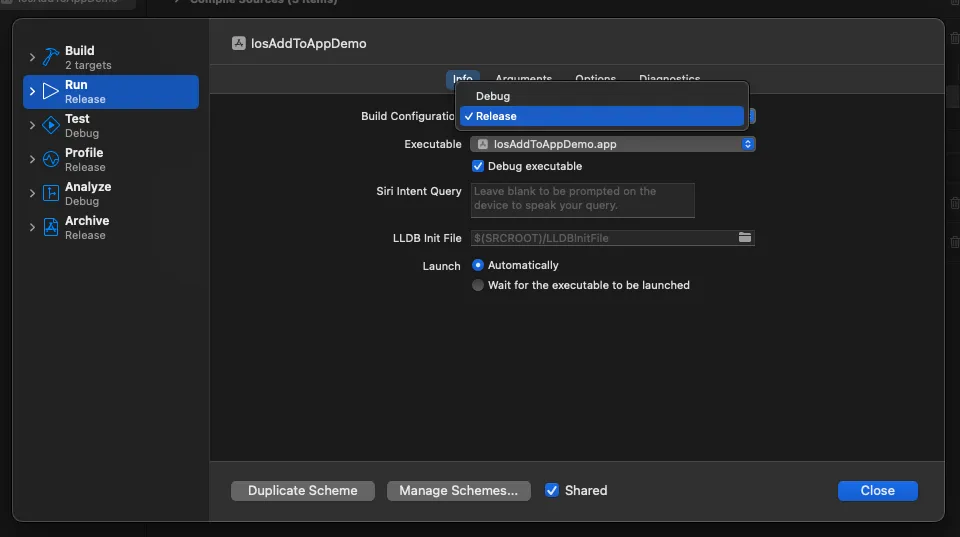
Now run your app on a device (not a simulator). Your app should run as normal, and you should see debug logs from Shorebird.
Submit your app to the App Store
Section titled “Submit your app to the App Store”This step isn’t covered in detail here, but this is where you would submit your
app to the App Store. For Code Push to work, it is important that you submit
with the same xcframework generated by the release command above.
You can skip this step if you just want to see Code Push working in an app.
Verify that Shorebird is working with a patch
Section titled “Verify that Shorebird is working with a patch”Make a user-visible change to the code in your Flutter module. Then run:
release-version should be the version of the iOS app you released with the
output of the release command. As before, this should match your app’s version
and build numbers in Xcode. The command above will patch the release created
earlier in this guide.
You can now test the patch in your app by running the app from Xcode. After the app launches, you should see logs from Shorebird informing you that the app is checking for new patches and saying that the patch was downloaded:
For the app to reflect the changes, you will need to close and reopen the app. Do this by stopping the app in Xcode and then running it again.
Release and patch the module from CI
Section titled “Release and patch the module from CI”In CI, the module and the host app are usually built by different jobs. Keep the
module’s release directory from the job that released it, and build the host
app you ship from that directory:
- The release job runs
shorebird release ios-framework --release-version 1.2.3+4in the module on a macOS runner, and keeps thereleasedirectory it writes, for example as a build artifact. - The host app’s store build embeds
App.xcframeworkandShorebirdFlutter.xcframeworkfrom thatreleasedirectory. Don’t rebuild the module for the store build: patches install only on the frameworks thatshorebird release ios-frameworkbuilt. - A patch job runs
shorebird patch ios-framework --release-version 1.2.3+4 --track=stablein the module on a macOS runner. It doesn’t need thereleasedirectory; Shorebird downloads what it needs from the release.
Use the same Xcode version for the release and its patches, and pin the runner image rather than using a “latest” label; see Build patches with the same toolchain as the release.
The job needs SHOREBIRD_TOKEN; see the CI guides.
With GitHub Actions, the Shorebird actions take platform: ios-framework. The
release version goes in args for a release and in release-version for a
patch:
See GitHub Integration for the runner and Xcode setup.
Test patches before publishing them
Section titled “Test patches before publishing them”To try a patch in a host app you build yourself before your users get it, see Test an add-to-app patch before publishing it.
To give QA a build of your host app that gets patches before your users do, see Give QA an add-to-app build, then promote it.
Multiple Dart entrypoints
Section titled “Multiple Dart entrypoints”If your host app starts the module through more than one Dart entrypoint or engine, see Multiple Dart entrypoints and engines.